Cute Lock Screen & Wallpapers
Prometheus Interactive LLCBeauty
4.61.14K Reviews
- Version
- 5.1.2
- Installs
- 10.00M
- Age Rating
- Everyone
Screenshots
Our Review of Cute Lock Screen & Wallpapers
 Analysis by Appyee
When several people share a phone around the house, its lock screen becomes more than decoration: it is the first thing each person sees when they pick it up. I like the idea of using a cheerful image to make a familiar device feel a little more personal, and Cute Lock Screen & Wallpapers is aimed squarely at that kind of quick visual refresh. It is a beauty app from Prometheus Interactive LLC, but its appeal is practical too: it gives you a way to browse cute designs and make the screen feel less generic without turning the process into a serious editing project.
That shared-device angle also calls for a modest expectation. A themed lock screen can make a phone feel welcoming, but it is not a substitute for a passcode or a way to separate people’s accounts. I would treat this app as a personalization tool, not as a household management or privacy feature. With that distinction in mind, it can be an easy option when everyone wants a more playful look and the person responsible for the phone is happy to choose what appears on it.
Making a Shared Phone Feel More Personal
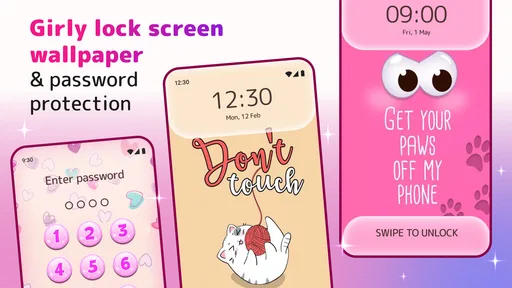
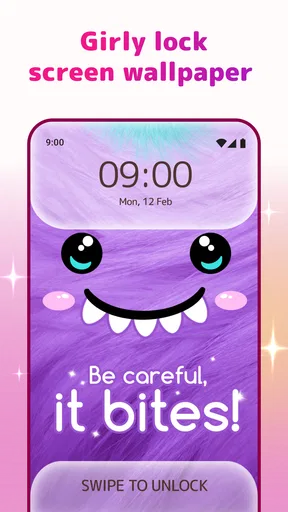
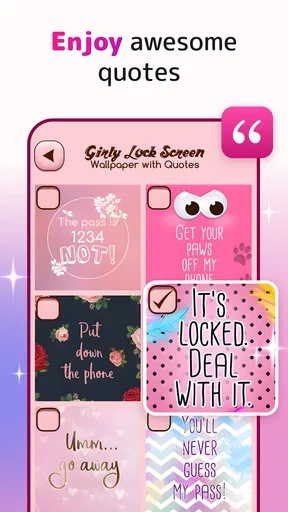
When I first opened Cute Lock Screen & Wallpapers, I was greeted with a delightful array of vibrant and adorable wallpapers. It felt like diving into a candy store for your phone screen. The interface is pretty straightforward, making it easy to navigate through the vast collection of wallpapers. Whether you're into cute cats, dreamy landscapes, or whimsical illustrations, there’s something for everyone.
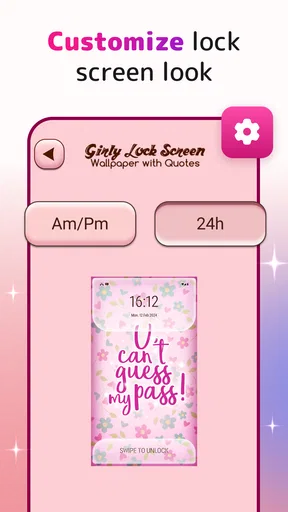
The app doesn’t just stop at wallpapers. You can also customize your lock screen with unique designs and patterns. This level of personalization is great for anyone who wants their phone to reflect their personality or mood.
Choosing a Look Before Everyone Uses the Phone
On a shared phone, I would choose a background that is pleasant but not visually confusing. A bold design may look fun in the preview, yet a quieter image can be easier to live with when the screen lights up repeatedly during a busy day. If different people have different tastes, browsing together and agreeing on one design is a simple way to avoid having someone else’s personal style take over the device.
That makes the app best suited to households where one person manages the phone and other users are comfortable with a shared appearance. It is less suitable if each person expects a separate lock screen, distinct profiles, or private personal space on the same device. Cute art can soften the look of a phone, but it cannot resolve the boundaries that come with sharing one.
Exploring the Features
One of the standout features is the ability to mix and match different wallpapers and lock screen styles. You’re not just limited to what’s available; you can create your own combinations. I spent a good chunk of time just playing around, trying to find the perfect match.
The app is also regularly updated with new content, so there’s always something fresh to try out. No more getting bored with your screen after a week. You can even set the app to change your wallpaper automatically at intervals, which is a nice touch for those who love a bit of spontaneity.
For a family or housemates sharing one device, automatic changes are a small trade-off rather than an obvious win. They can keep the screen from feeling stale, but a carefully chosen image may be replaced before everyone has had time to enjoy it. I would use a fixed design when the phone needs to look consistent for work, school, or day-to-day coordination, and save changing backgrounds for a device where surprise is welcome.
Usability and Performance
Using the app is a breeze. The developers have done a great job keeping things simple and user-friendly. I didn’t encounter any bugs or crashes, which is always a relief. The wallpapers load quickly, and applying them is just a tap away.
The app is surprisingly lightweight, which means it doesn’t hog your phone’s resources. I was worried it might slow down my device, but it runs smoothly in the background without a hitch.
A useful habit when several people use the phone is to settle on the image before handing it over. That avoids turning a quick request to “pick something cute” into a long browse while someone is waiting to make a call or check a message. I would also keep a mental note of the current favorite before experimenting, so it is easier to return to a look the household already likes.
Personalizing Your Experience
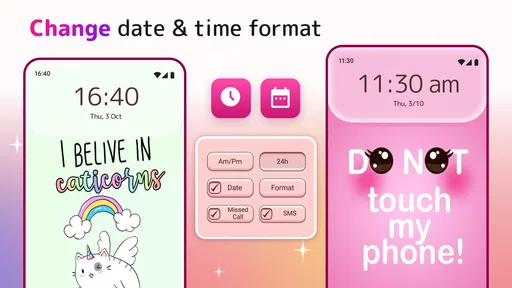
What I really love about Cute Lock Screen & Wallpapers is the level of customization it offers. You can adjust the brightness, add text, and even apply filters to your wallpapers. It’s like having a mini photo editor on hand to spruce up your screen.
For those who love to organize, the app allows you to create collections of your favorite wallpapers. This way, you can easily switch between your top picks without scrolling through the entire library.
For a shared device, collections can work as a shortlist rather than a complicated filing system: save a few designs the household has already agreed on, then choose among those when it is time for a change. Text can add a personal touch, but I would keep it neutral on a phone used by several people. A name, private reminder, or message intended for one person may be visible to everyone who picks up the device, so simple decoration is the safer fit.
It is also worth considering how a design will look in ordinary use, not only in the selection screen. Brightness and filters can help a favorite image feel more comfortable, while a busy picture may compete with the information shown on a lock screen. I would test a design during a normal day—checking the phone in different rooms and lighting—before treating it as the household’s permanent choice.
Age, Trust, and the Limits of Personalization
The app is rated Everyone, which makes its general audience broad, and that suits its light, decorative purpose. Still, an age label is not a replacement for an adult’s judgment when a child uses a shared phone. I would choose the wallpaper together, keep any added text appropriate for everyone who may see it, and explain that changing the appearance does not change who can access the device.
There is a practical distinction here: the app can make a lock screen look cute, but a household should rely on the phone’s own security settings for access and privacy. If a device carries private messages, payment details, or personal accounts, those boundaries matter more than the wallpaper. A parent looking for separate child accounts or device restrictions should use the phone’s built-in controls or a dedicated family tool instead.
Because the app is free and includes in-app purchases ranging from $0.99 to $99.99 per item, I would let the person responsible for the device review any purchase prompts before a child explores on their own. The price range is broad enough that it is sensible to check what an item costs rather than assuming every extra is a small add-on. The free starting point makes it easy to try the basic experience first, without treating optional spending as necessary to enjoy a fresh look.
How It Fits Beside Built-In Wallpapers
Most phones already offer a quick way to set a picture as wallpaper, so this app is not essential for someone who only wants one background and is happy with the system’s existing choices. Its appeal is the combination of cute designs, lock-screen styling, and extra ways to adjust the result. Compared with simply choosing a built-in image, it gives a more focused browsing experience; compared with a full photo-editing app, it keeps the task centered on making the screen look appealing rather than editing images for every purpose.
That focus is helpful if you want a ready-made look or enjoy trying combinations, but it may feel unnecessary if you prefer a plain screen or already have a personal photo you love. I would not install it expecting it to replace the phone’s security options or provide separate profiles. It is a visual choice, and that is where it makes the most sense.
What to Expect Before Installing
The app has a 4.4 average from around 71,000 ratings, and it has been installed over 10 million times. Those figures suggest that a lot of people are interested in this kind of customization, but they do not tell me whether a particular household will enjoy browsing cute designs. My recommendation depends more on whether you want a playful screen and are willing to spend a little time choosing one that works for everyone.
It is free to download, is rated for Everyone, and its current version is 5.1.0. The app was released on October 24, 2017, and it requires Android 5.0 or later. If your phone meets that minimum, the next question is not whether the app can manage a shared device, but whether its decorative options are worth adding to your routine. Anyone who needs strict separation between users should look elsewhere for that job.
A Small Routine for Keeping the Choice Easy
In a realistic household, I can imagine a parent choosing a calm wallpaper with a child on a quiet evening, saving a few favorites, and then leaving one in place for the school week. If the child asks to change it the next day, the saved collection gives them a short list to choose from rather than a fresh search through everything. That is a low-effort way to make the phone feel shared without handing over the responsibility for its accounts or access settings.
For a phone used by adults, the same approach can help with coordination: agree on a design that is easy to recognize when the phone is on a table among other devices, then avoid changing it just before someone else needs to use it. This is not a special sharing mode; it is simply a considerate way to use a personalization app. The benefit comes from the household’s routine, not from assuming the app coordinates people for you.
Final Thoughts: Is It Worth It?
All in all, Cute Lock Screen & Wallpapers is a delightful addition to any phone. It’s perfect for anyone looking to add a touch of personality and fun to their device. The app is free to download, with some in-app purchases if you want to unlock additional features or remove ads.
I’d say give it a shot if you’re tired of your current lock screen and crave something more lively and engaging. It’s amazing how a simple change like a new wallpaper can brighten your day and make your phone feel brand new.
For a household, I would recommend it when the goal is a shared, cheerful appearance and the person setting up the phone is comfortable choosing designs everyone can see. It is a weaker match for people who want a minimal screen, insist on one wallpaper per user, or expect a decoration app to provide parental controls and account separation. If you approach it as a creative way to refresh the lock screen—with sensible attention to purchases and privacy—it offers an easy, low-stakes change that can make a shared phone feel a little more welcoming.
Privacy and Permissions
See what permissions an app requests and how it handles your data.
- Photos/Media/Files
- read the contents of your USB storage, modify or delete the contents of your USB storage
- Storage
- read the contents of your USB storage, modify or delete the contents of your USB storage
- Camera
- take pictures and videos
- Wi-Fi connection information
- view Wi-Fi connections
- Other
- view network connections, disable your screen lock, expand/collapse status bar, full network access, run at startup, draw over other apps, control vibration, prevent device from sleeping, Google Play license check
Verdict
Strengths of Cute Lock Screen & Wallpapers
- Vast selection of HD wallpapers.
- Customizable lock screen themes.
- User-friendly interface design.
- Regularly updated content library.
- Low battery consumption.
Limitations of Cute Lock Screen & Wallpapers
- Contains in-app advertisements.
- Limited free features.
- Occasional app crashes reported.
- Some themes require purchases.
- No offline mode available.
Other Releases by Prometheus Interactive LLC
View All
Sound Booster・Increase Volume
Music & Audio4.8

Screen Recorder: Facecam Audio
Video Players & Editors4.4

GPS Navigation: Live Earth Map
Travel & Local4.0

Logo Maker : Graphic Designer
Business4.6
Similar Picks in This Category
View All
Beauty Makeup Editor & Camera
Photo & Video Editors - Instant Solution4.7

Perfect365: Face Makeup Editor
Perfect365, Inc.3.5

Mirror Plus - HD Mirror app
Digitalchemy, LLC4.8

HD Camera for Android
One Music Player4.5

Phone Mirror app - True Mirror
Cards4.6

Beauty Camera: Sweet Camera
Mobile_V54.6
Frequently Asked Questions
What features does Cute Lock Screen & Wallpapers offer?
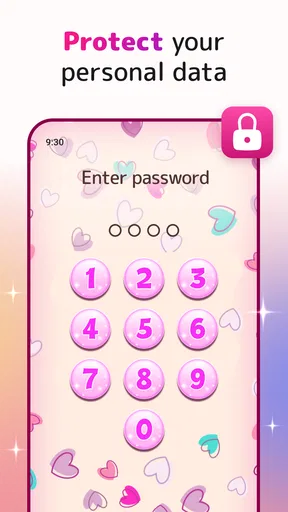
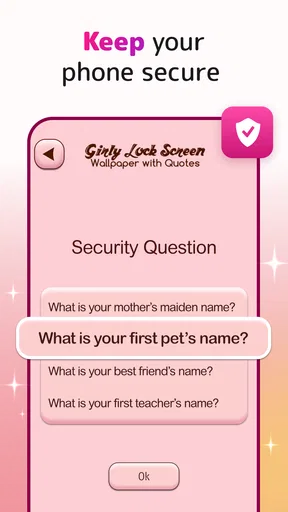
Cute Lock Screen & Wallpapers provides a variety of adorable themes and wallpapers to customize your lock screen. It includes features like pattern and PIN lock security, a wide selection of cute and stylish wallpapers, and the ability to personalize notifications and widgets. It’s designed to enhance both the visual appeal and security of your device.
Is Cute Lock Screen & Wallpapers free to use?
Yes, Cute Lock Screen & Wallpapers is free to download and use. However, it may offer in-app purchases for additional features, premium wallpapers, or an ad-free experience. Users can enjoy the basic functionalities without any cost, but should be aware of these optional purchases if they wish to enhance their experience.
Does the app affect battery life or device performance?
Cute Lock Screen & Wallpapers is designed to be lightweight and efficient. While it uses minimal resources, any app running on your device may slightly impact battery life. The app developers have optimized it to ensure that it does not significantly drain your battery or affect the overall performance of your device.
How frequently is new content added to the app?
The developers of Cute Lock Screen & Wallpapers frequently update the app with new themes and wallpapers. Users can expect regular additions to the content library, providing fresh and trendy options to keep your device looking stylish and up-to-date. Updates may also include performance improvements and bug fixes.
Is Cute Lock Screen & Wallpapers compatible with all devices?
Cute Lock Screen & Wallpapers is compatible with a wide range of Android devices. However, users should check the app’s requirements on the download page to ensure compatibility with their specific device model and operating system version. Compatibility ensures that all features function smoothly on your device.
